Welcome to by blog for capstone! By this point in college, I have done many discussion posts, but this is my first time doing this specific format. I am currently on my second MECOP internship, so hopefully that will provide me with some inspiration throughout the term!
As an aspiring full stack developer, I try to stay up today on web development trends. Today I will be going over Progressive Web Apps (PWAs), and why they are important. A great resource for getting started with PWAs can be found in the form of this article from Mozilla.
A PWA is a web app that adheres to the following ideas through the use of established practices:
- Discoverable
- Installable
- Network independent
- Progressively enhanced
- Re-engageable
- Responsively designed
- Secure
What do these concepts actually mean?
A PWA must be discoverable so users are able to find it though the standard routes. It should be installable on mobile devices so it can be easily accessed. Being network independent means it should function well despite the internet connection. It needs to be progressively enhanced, which means it should work on less powerful browsers. Tactics like push notifications on phones are used to get a user interacting with the app again. Speaking on devices, the web app should work independently of the device it is being displayed on. Finally, no one wants to use an unsafe web app, so it must use the latest safety guidelines.
Why should you make Progressive Web Apps?
Many of the concepts above lead to gaining and maintaining users, which will ultimately generate more revenue. It is surprising how small details like the order of content loading can have a major impact on user re-engagement. All of these important details can be implemented in your app if you follow PWA conventions.
How do you keep track of all this?
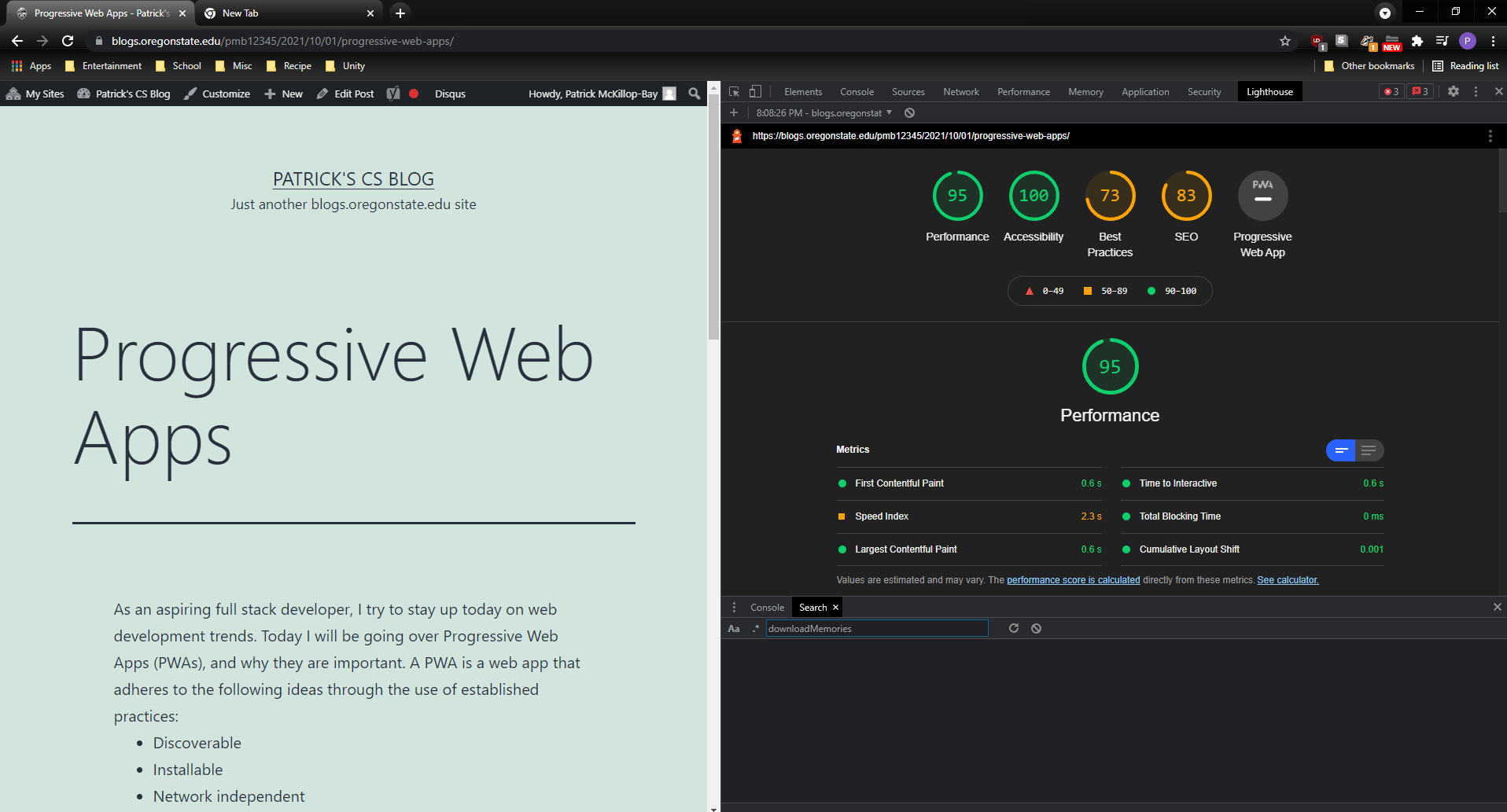
This seems like a lot to consider while making an app, but a tool called Lighthouse makes analyzing your apps easy! It provides an exceptionally easy way to analyze your webpages. In fact, it already is part of the dev tools for Chromium based browsers. As you can see below, generating a lighthouse report can be done by simply opening the dev tools and navigating to the Lighthouse tab.