I’ve been assigned to a team and project!
I’m super excited to be working on the VR Simulation Challenge prompt. This is a really good chance for me to put all of my skills on display, especially considering VR requires a lot of thoughtfulness in programming and asset creation.
We’re going to be making an immersive language learning game! Complete with pepper cats, or ghost peppurrs. I will be acting as a developer and artist for this project.

Tasks Accomplished: Week 2
| Technical Tasks | Art Tasks |
| Set up team repo with Unity gitignore | Created moodboards for character, environment, and aesthetic design |
| Created basic scene with XR rig set up | Designed character species |
| Tested building on old Mac via Oculus Link | Created art asset list |
Technical Issues Already?
So despite having an older desktop Mac with an outdated graphics card, I should be able to do quick build tests via the Oculus Link and not constantly need to side load it. My Mac can recognize my Quest 2 via the Oculus Developer Hub (desktop app), but Unity can’t.
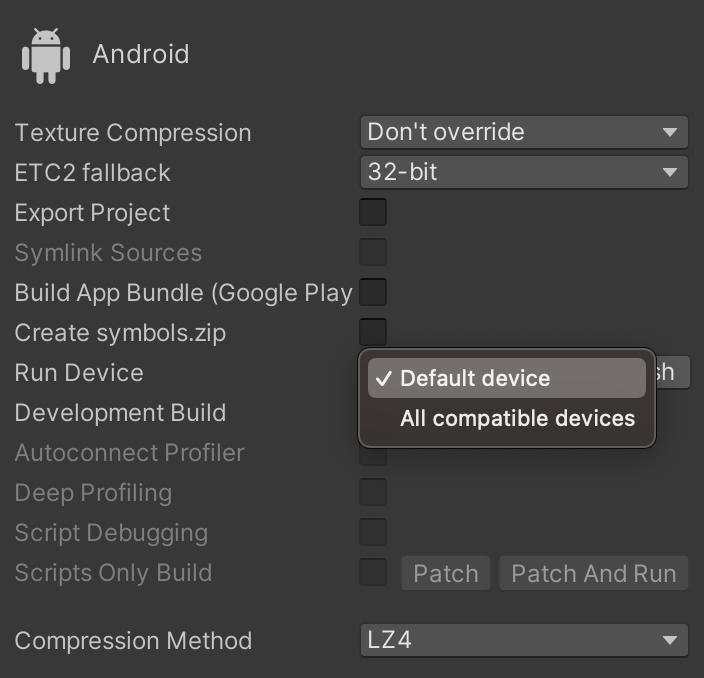
I’m thinking it’s my cable because I have to use a USB A-USB C adapter, but that doesn’t explain why Unity can’t recognize the Quest 2 and yet my Mac can. Based on some googling I should still be able to build for Android on macOS. I’ll continue looking up more solutions tomorrow since I spent most of today (Wednesday) trying to figure this out.
Starting Asset Creation:
Drawing lines again was pretty difficult for me after painting a lot of pixel art the past few months. For me, I stoped sketching before painting and instead start putting down silhouettes, then rendering them.

You can see my sketching is pretty rough and tight, showing I’m out of practice. I’m glad I was able to sketch again though, it’s good practice and gives me a chance to learn other brush sets besides the 1px pixel brush I use for everything…

Goodbye for now, please come back again and read my next assignment.
Ryan Davis
