This last week I created a C++ class, WavFile, that has a function called reverse. The reverse function takes a stereo or mono WAV file and creates a new WAV file that plays the input file backwards. This task has given me a comfort level with C++ classes that I never had in CS-162. To my surprise it was smooth coding. It took me all weekend, but I got it to work properly. My ultimate test was taking a file, reversing it, then reversing it again to restore the original. I play the audio files, and view them graphically in Audacity.
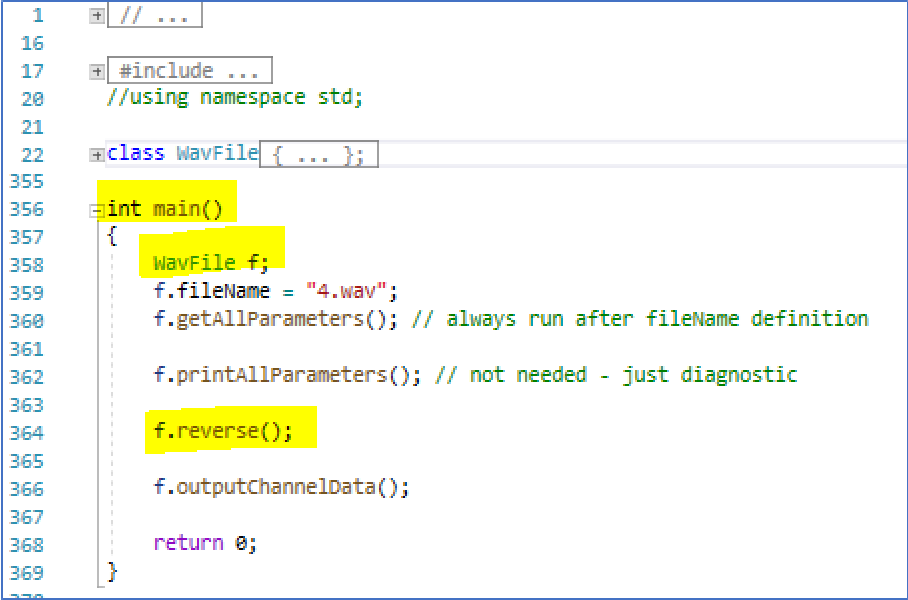
Previously I took a main function that had ~98% of my code – all of the code except includes and transformed it into a class that contains ~98% of the code. The main is now very short as shown in the picture above.
Now my focus is getting a Fast Fourier Transform to work. In order to get this done, the first thing I will do is write out the audio data points of each channel to an ASCII column file. This means I take binary data and have to convert it to ASCII numbers, 1 per line, in either hex or decimal format. This will make reading in the column data as a complex number array much more straight forward and easy to verify.
One problem that I have had to deal with when extracting WAV data is that many of the header parameters, and data, is in little endian mode. It has been fun reading a byte, or char, at a time and shifting its value to the proper magnitude.
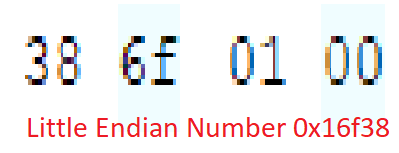
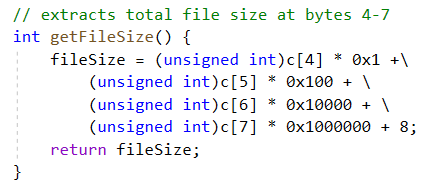
We read only a character at a time in the binary file. We have to convert a char into an int – in this case unsigned as shown below.
This assignment has definitely improved my programming skills. I do not think I will be disappointed with the final outcome. The journey itself is rewarding.
I have also realized that when dealing with WAV files, I want to use uncompressed files. This means that the Compression Code should be 1. Previously I dealt with a WAV file having a Compression Code of 6. The Audacity app can convert a WAV file to uncompressed. I will use 16-bit signed data for FFT analysis.
This is where I am at. If I can successfully complete FFT and inverse FFT work within the next week, our group should have plenty of time to integrate our work into a single Audio Loop Station.