WAV Audio Files, Finally Understood
This week I produced a WAV file with C++, that I was able to examine with a binary editor, Hex Editor Neo.

I was also able to play back raw audio file (no header needed) with Audacity. This program is handy because no header is needed – just some basic input is needed such as sample rate, and number of channels, signed or unsigned data, and big or little-endian format.

After much looking around on Google, I found an excellent video that explained the header of a WAV file, and all the fields. The video, Write a WAV file from scratch – C++ Audio Programming https://www.youtube.com/watch?v=qqjvB_VxMRM was thorough in explaining the header and various fields of the WAV audio format.
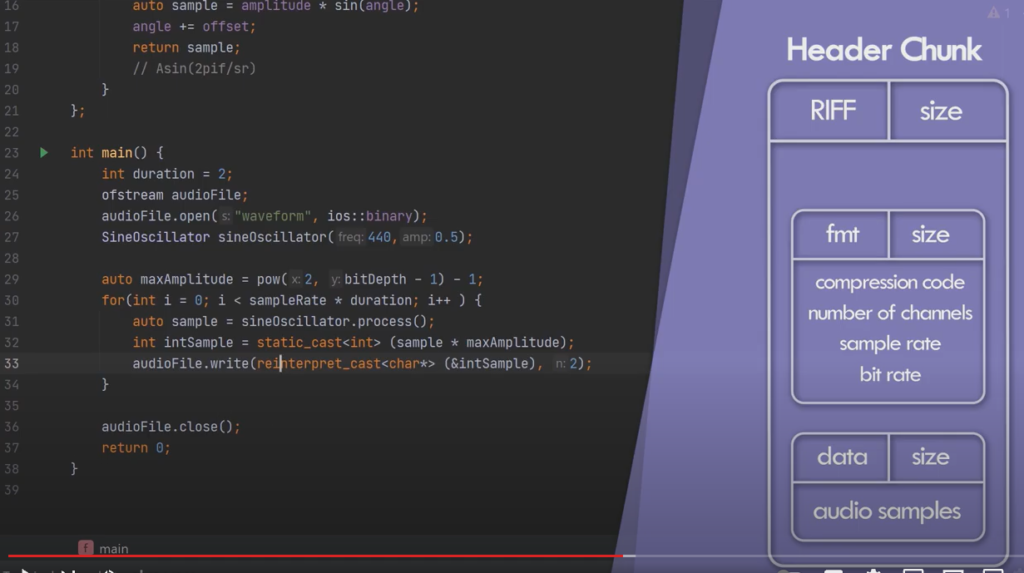
Between this binary Hex editor, and the video, I am equipped to look under the hood of an audio WAV file and understand where to extract the audio data. I can also determine if it is mono or stereo, the bit depth, and sampling rate.
From mere Fourier Transform to Fast Fourier Transform
I have previously explored what will be needed to stretch time, and modify pitch during playback of a track. This week I am focusing in on the Fourier transformations that will be needed. I toyed with the idea of using the standard Fourier transform method but this has O(N2). I thought for a while that I would need to use regular Fourier transforms so as not to truncate data to a power of 2 number of points. But then it occurred to me that I can use Fast Fourier Transforms, and just 0-pad from the last data point of an audio vector or array to the next highest power of 2. In this way, no data from the audio stream will be lost in the Fourier transformation. Fast Fourier transforms are O(N-log(N)). So this would be much faster, hence the word Fast.
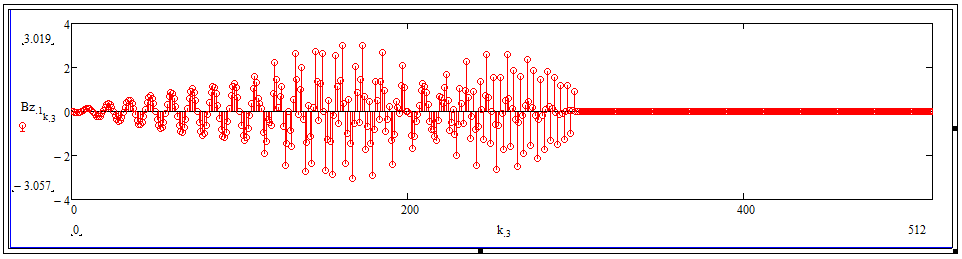
This picture above shows an audio file that ends after 300 samples, but is zeroed out from sample 301 to 29 = 512.
After doing some digging into FFT routines, I am considering using RosettaCode.org code.
