I can recall the first time these words were spoken to me and were about me. Spoken by someone I looked up to and who eventually became a mentor and now a great friend. To say I was hurt would be an understatement. Fast forward a few years with me sitting in her old chair with a new view and a different set of responsibilities and that phrase has now become something I try to practice as often as possible.
Why do I bring this phrase up while just in the planning phases of a project? Because documents can lie!
While researching ways to allow a Unity project to interact with a database, I was introduced to Back4App. Let me say, this looks slick! I excitedly make my way to the documents page and I’m super excited to see:
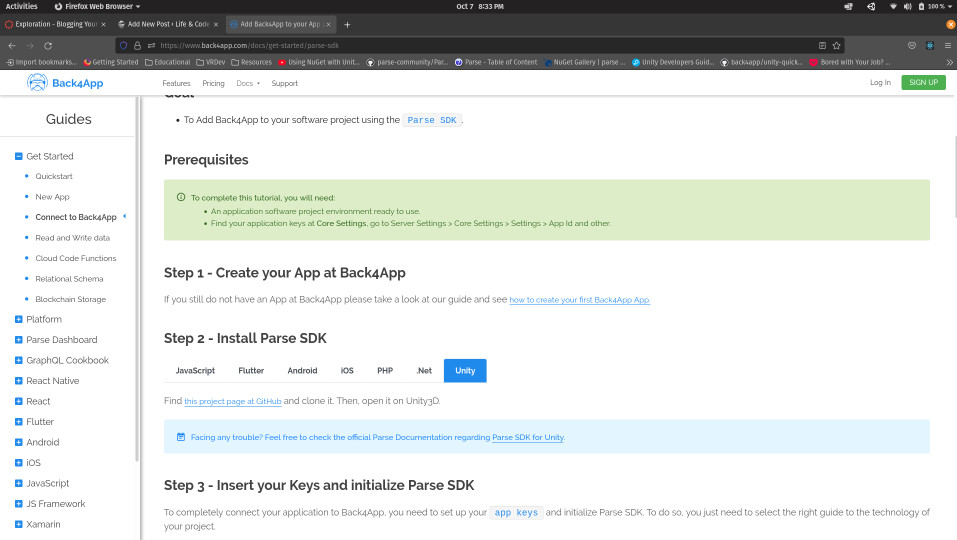
Did you see it?

The documentation is a link to a repository! I haven’t been in CS or software for long, but I’ve most certainly been down this block. Still hopeful, I head over to the the linked GitHub and take note of the last commits (spoiler: it’s been a while). Thankfully, this wasn’t my first attempt at installing a .NET package. FYI – I can confirm the NuGETforUnity package manager is fully functional with newer versions of Unity.
HOWEVER, the packages you install may not be! I proceeded to have many failed attempts using both NuGETforUnity and a manual install following Parse’s instructions found here. From the Parse SDK GitHub, I noticed the the Parse SDK’s GitHub had a “prerelease” commit a little over a year ago. As a last effort, I opted to include the source as a native library and my goodness it worked! Many errors and issues were settled before I could get a proper build and run for a desktop, but I got it! My spirits went up and hope came back. Last thing to do is compile and build for Android…

Yes a list of errors showing this is no longer a quick and easy install. From the many issues I had, I believe the structure of Unity’s more recent versions have changed and the Parse SDK package is no longer compatible and the native library implementation overwrites some necessary Unity classes needed for an Android build.
In short, when the documentation links to a GitHub repository with little action going on, trust it most likely worked when published but verify it still works.
