
Now that we are in the later stages, most of the planned functionality for the project is working and much of the angst from day 1 has been replaced by an anxiousness to finish strong.
In delivering a quality product, I feel strongly that great focus should be placed on preventing and minimizing technical issues and style violations (e.g. code smells). To be the most effective, this exercise should be done sooner rather than later and should be as consistent as possible throughout the development.
Early incorporation into your project will help address issues before they balloon and prevent migraines later. This proactiveness can help accelerate development time and reduce costs, which is sure to make your stakeholders do a happy dance and give your work credence. Dollar, dollar bill y’all…

There are various techniques that can be used to help manage coding issues effectively, and as you may know, linting is one of them. Being that you’ve gone through Software Devs I & II, I won’t bore you with the fundamentals, but you can check out this site or this one if you would like a refresher.
I would, however, like share with you some essentials for setting up and linting in Flutter.
If you want to check your code in Flutter, it’s very beneficial to use the flutter analyzer feature. If you are using a Flutter IDE/editor (e.g. Android Studio), then you are golden and will automatically reap the benefits. No need to setup the analyzer. This is really the way to go. Trust me. If not, then don’t fret. Setting up a fairly simple process.
For any given project, you can start with the analysis options that the Flutter team uses. To download the file, run the following command within the root directory of the repository.

The analysis_options.yaml file essentially tells the dartanalyzer tool the preferences to use when analyzing the codebase.
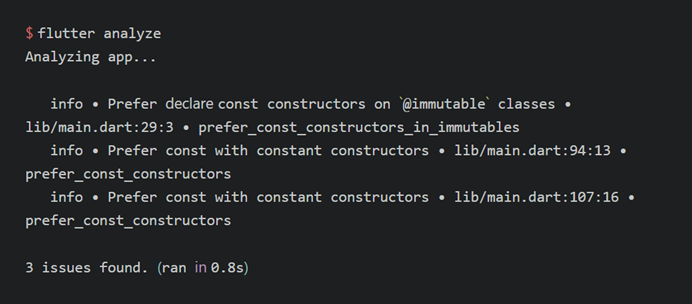
You can now run flutter analyze from the command line to see everything in the app that can be improved. Your editor should use this file to show you inline feedback as well.
If you are working on a team, which is almost guaranteed in a professional realm, having linting set up in your app doesn’t mean your teammates will run or follow the recommended patterns. You should further enforce it with Continuous Integration (CI) but that’s another discussion.
Keep it clean my friends.